
PULWTOP KVM Switch Docking Station for Laptop & Desktop, 4K EDID KVM Switches Dock Dual Monitor
Tax excluded.
-
About this item
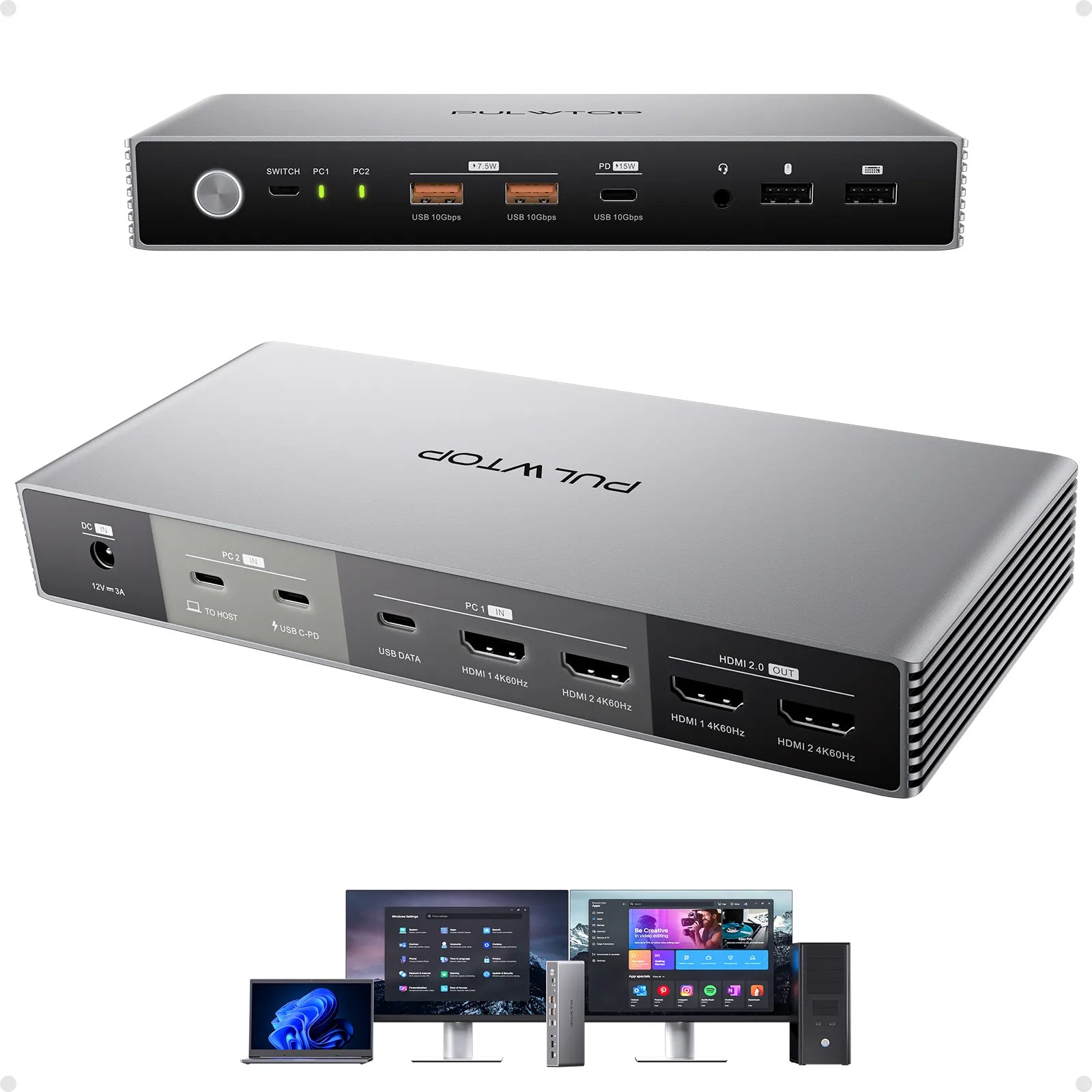
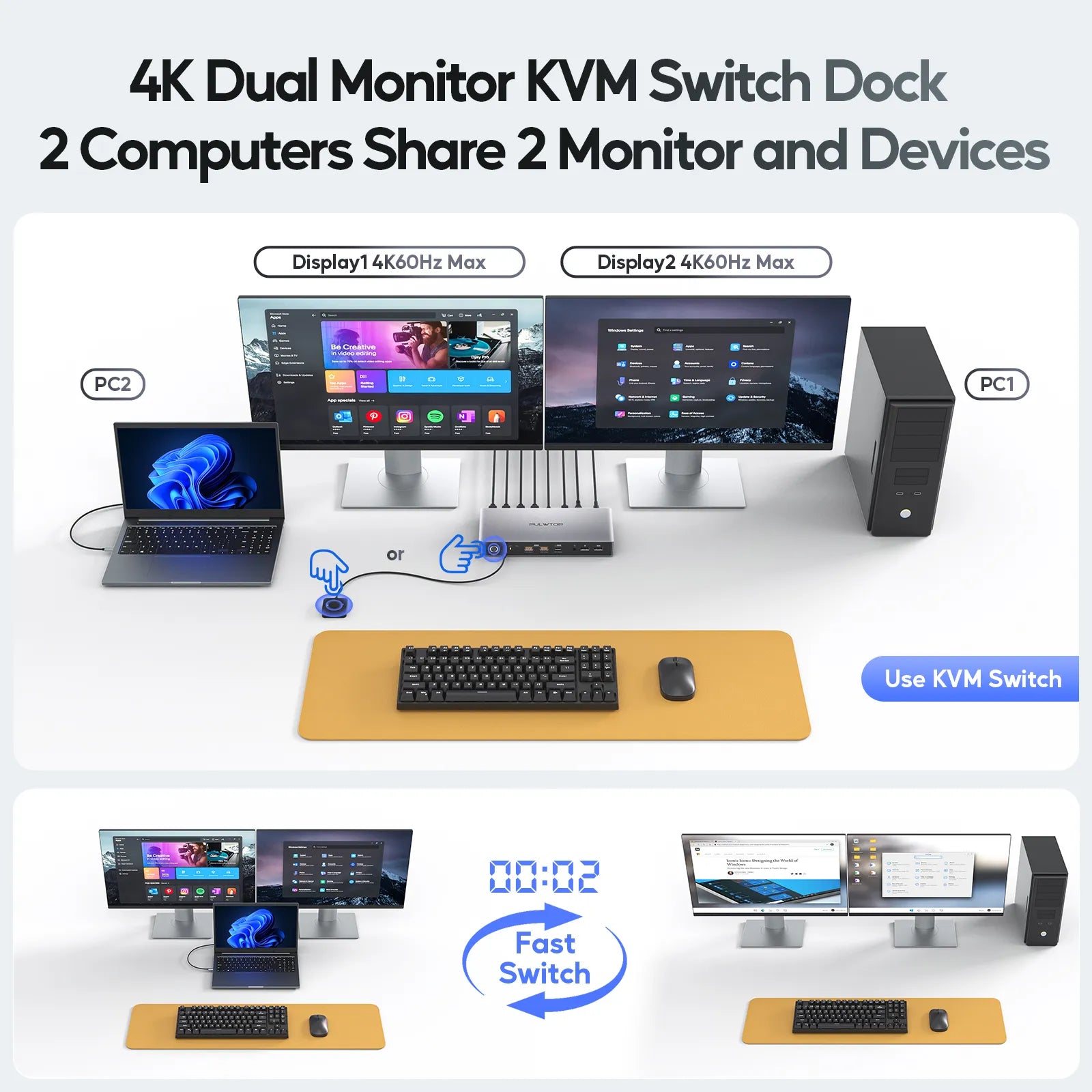
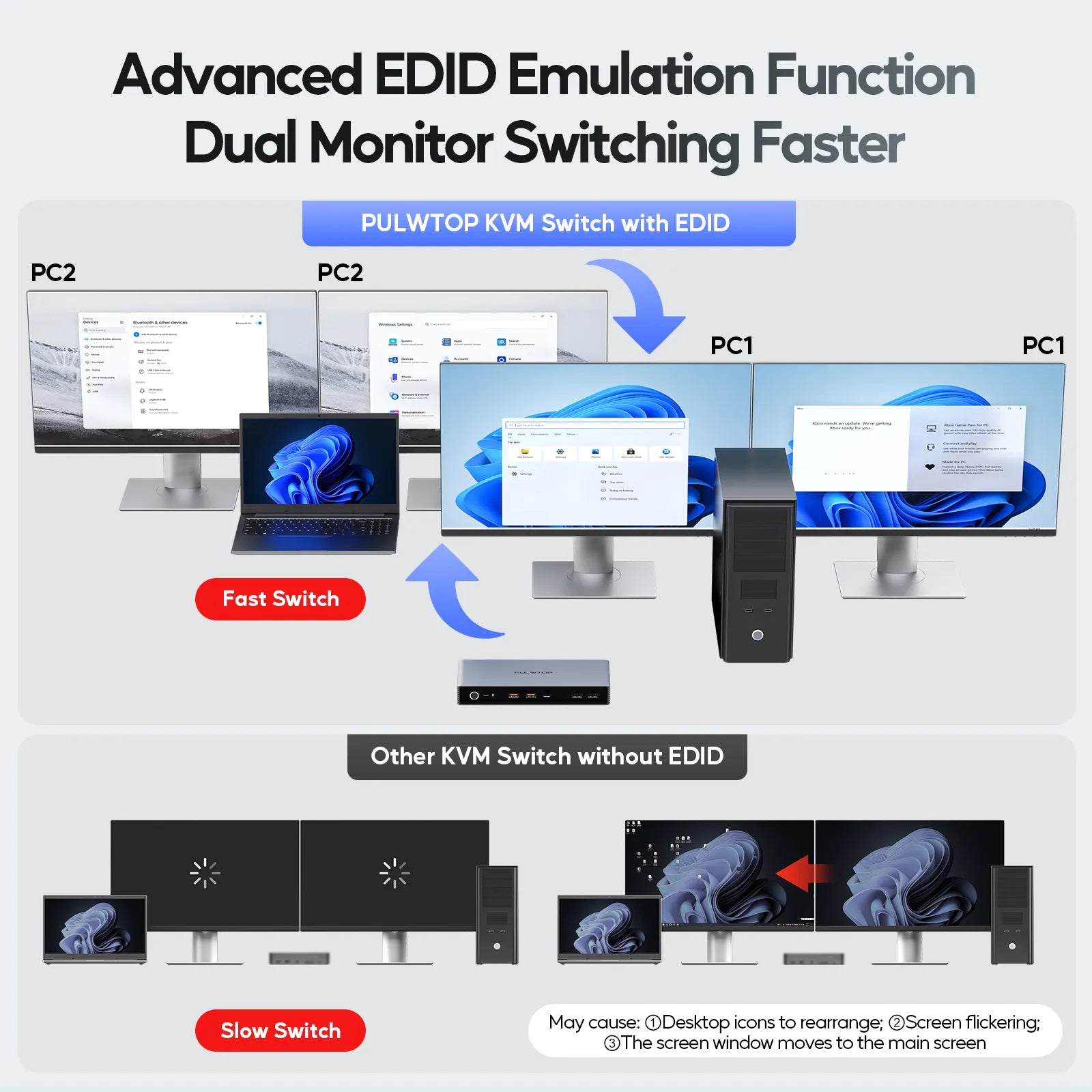
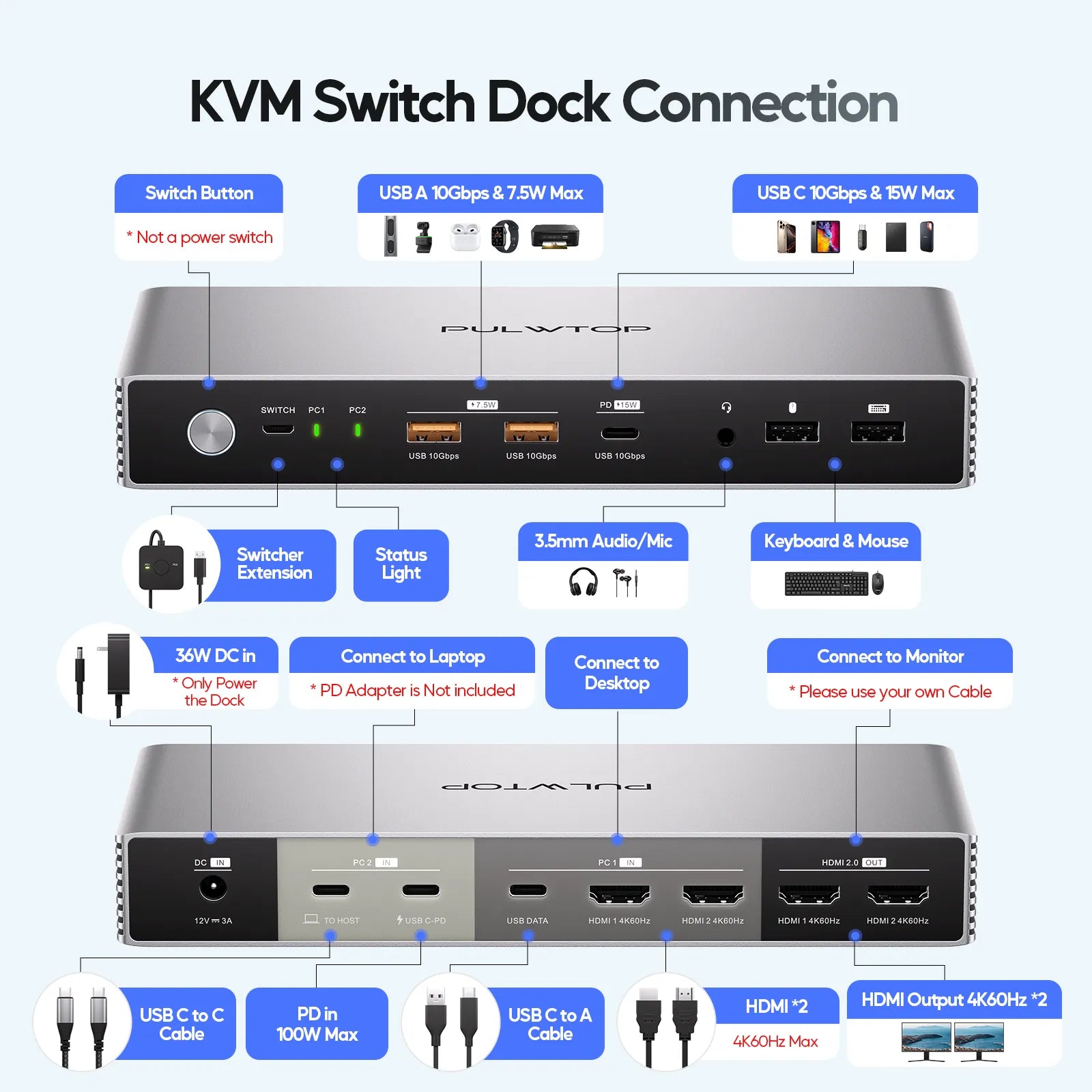
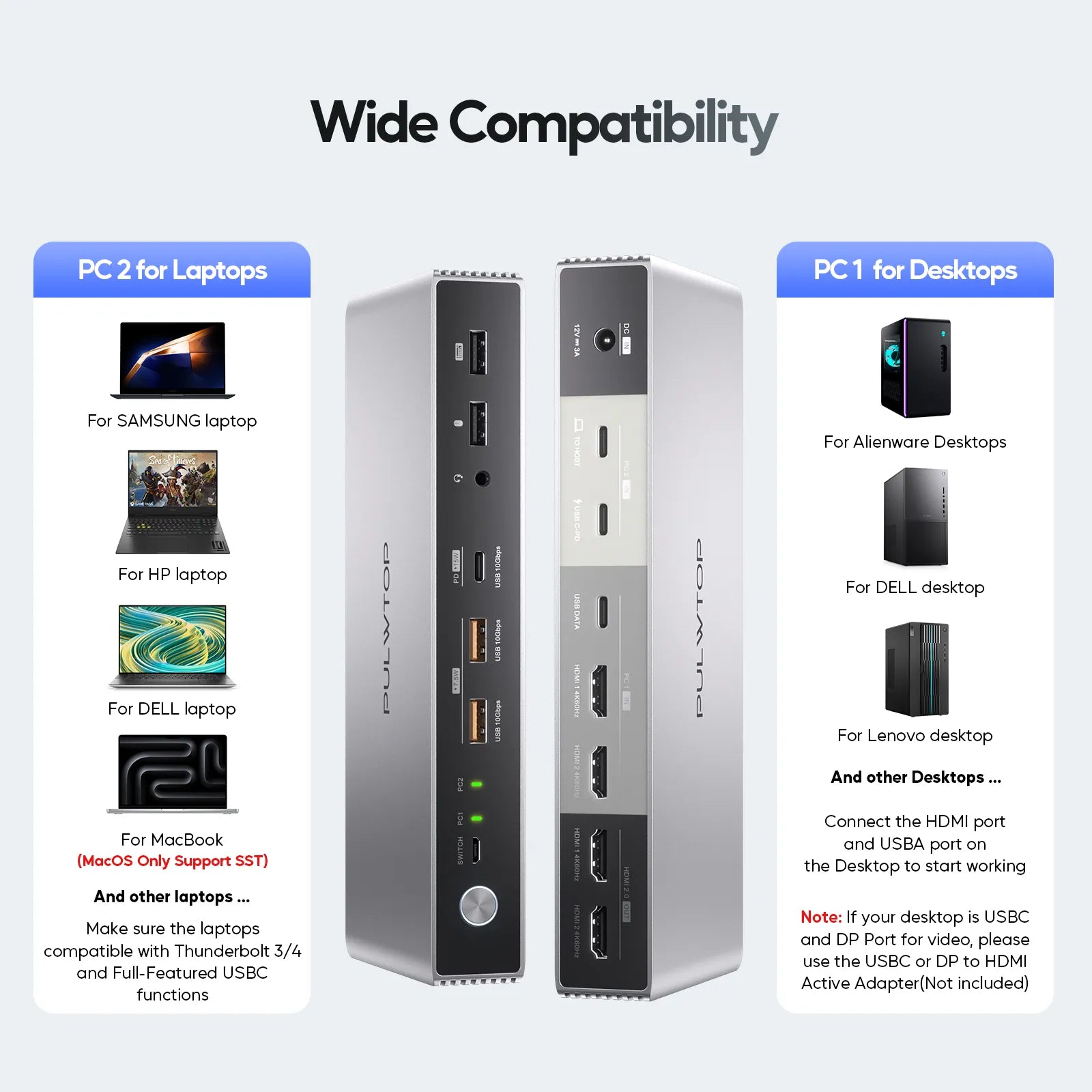
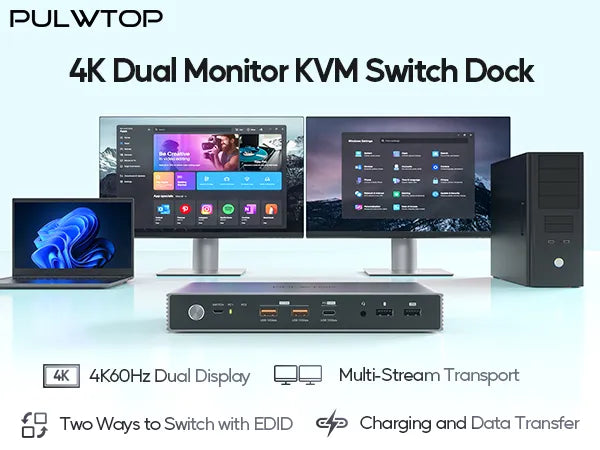
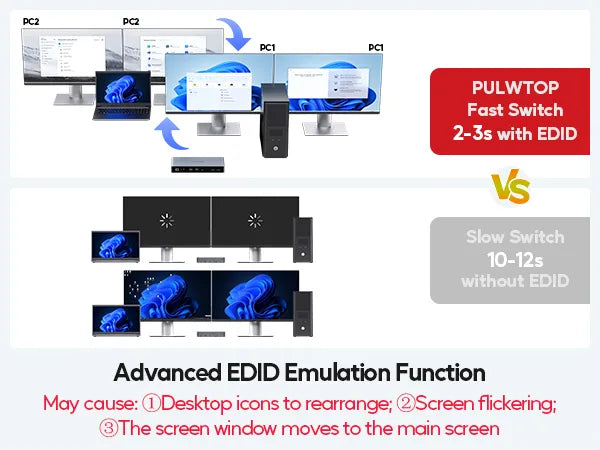
- KVM SWITCH DOCKING STATION FOR LAPTOP & DESKTOP - The KVM switch docking is equiped with 1 x USB-C (MST) input port for laptop, and 2 x HDMI + USB-C data input port for desktop computer to 2 monitors. The USB C KVM switch is also built-in with EDID function, which only takes 3-5 seconds to switch between your workstation and gaming PC, and seamlessly enjoy 2 monitors at the same time
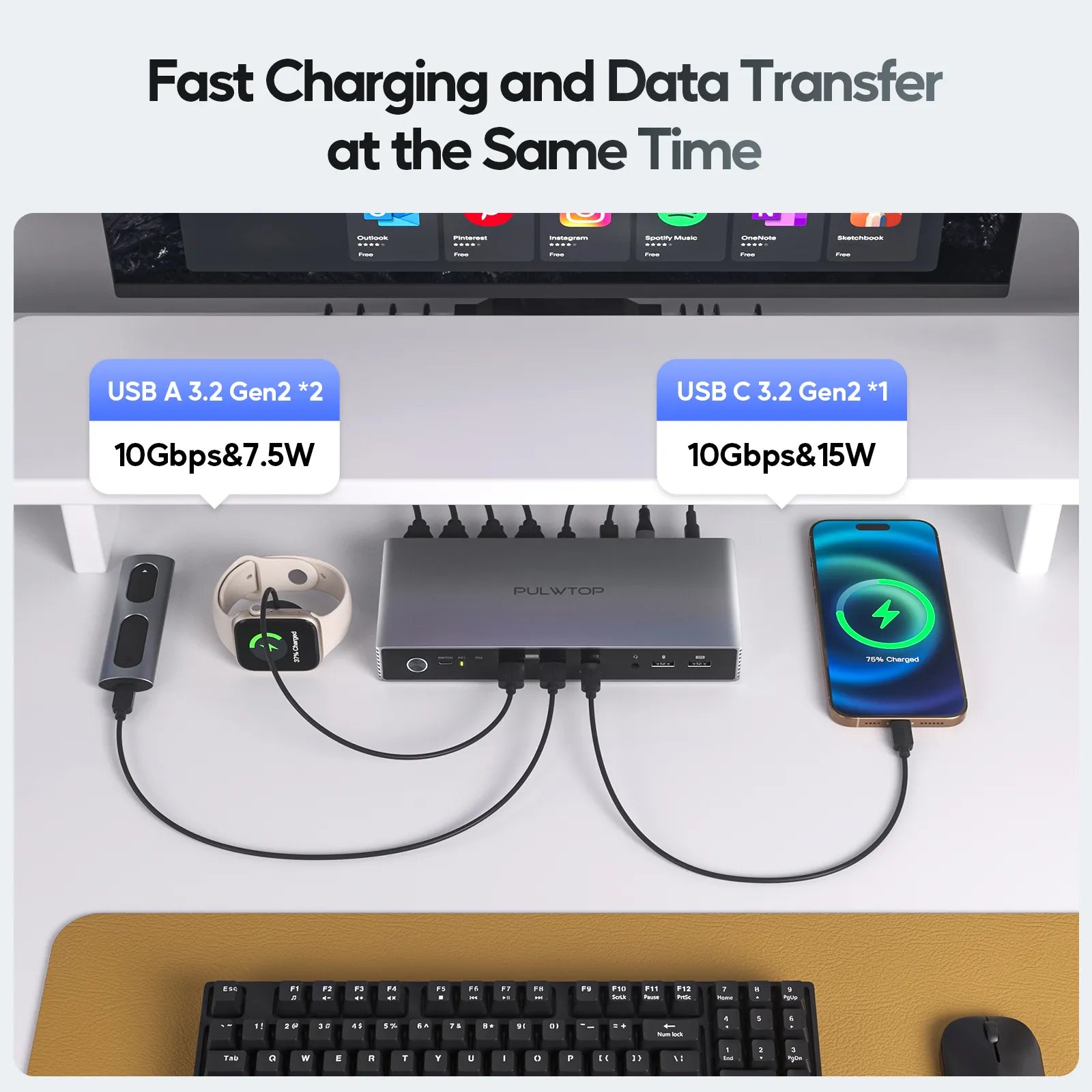
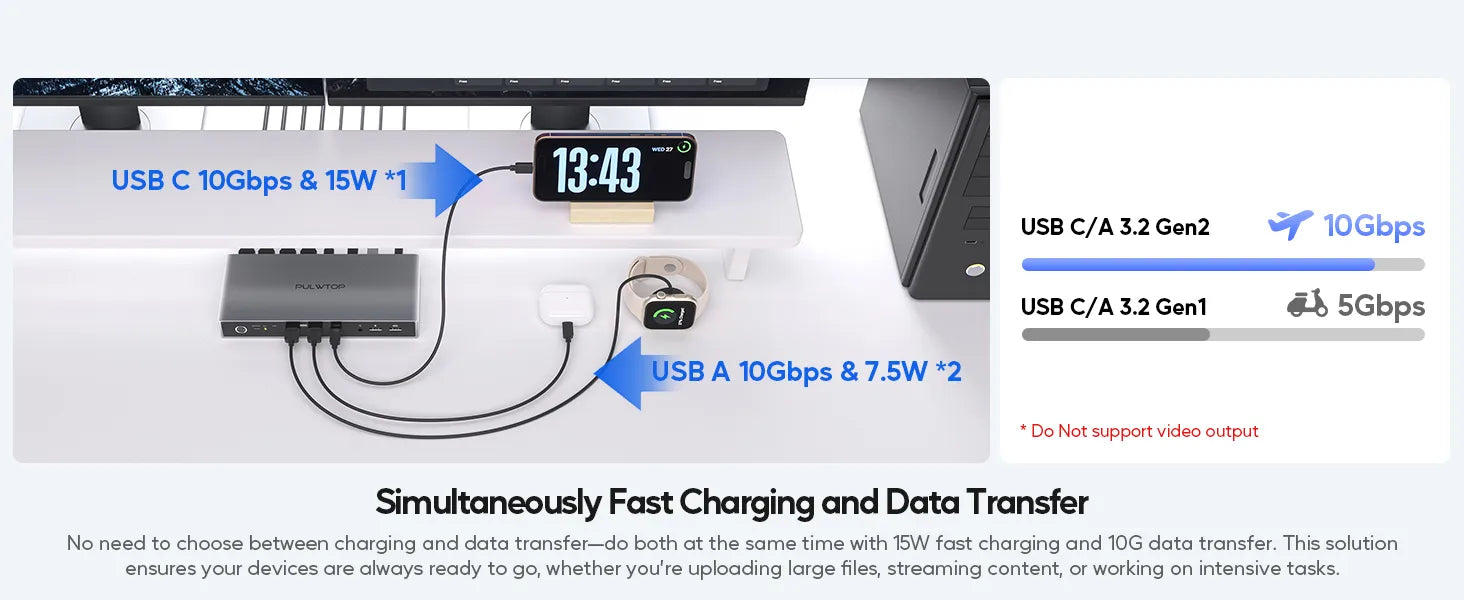
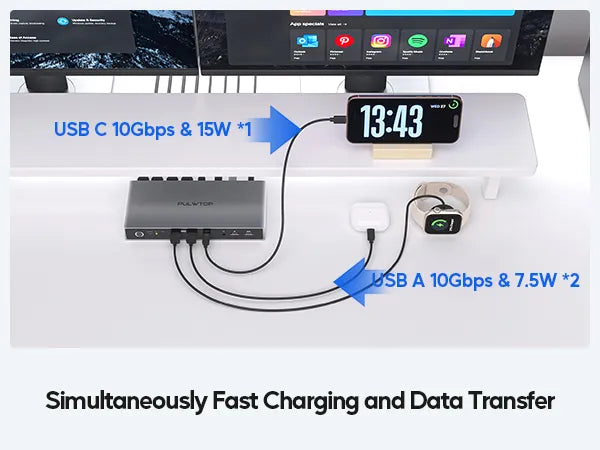
- POWERFUL KVM SWITCH DOCK - PULWTOP KVM switch for 2 computers with multiple shared essential peripheral ports, making it not just a USB switch, but a USB C docking station. Including 1 x USB-C 3.2 10Gbps with PD charging up to 15W , 2 x USB A 3.2 10Gbps with BC charging up to 7.5W, 2 x USB-A 2.0 for mouse and keyboard, 1x 3.5mm audio/mic jack, 1x switch port and 2 x HDMI outputs. Create a powerful workstation at home easier than ever
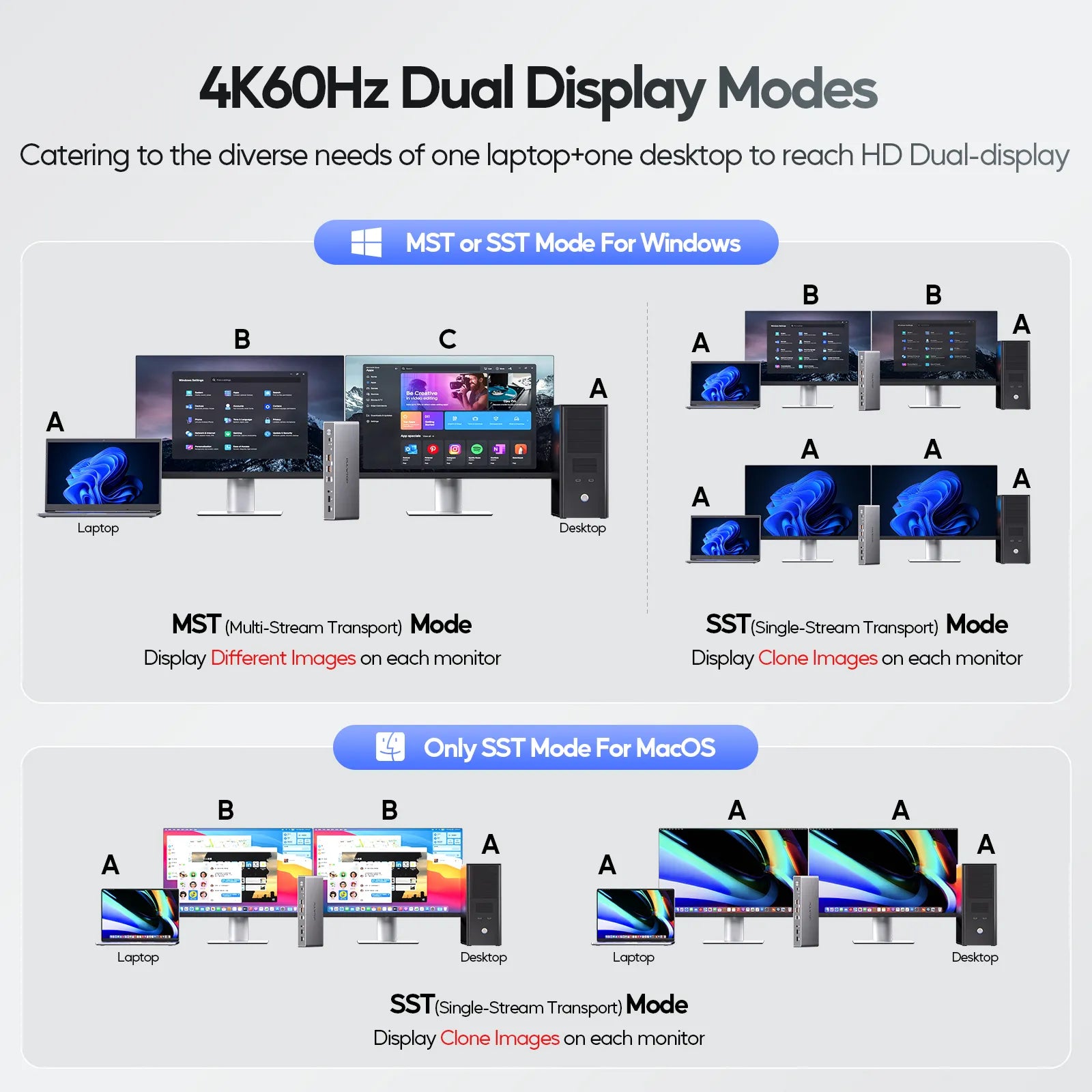
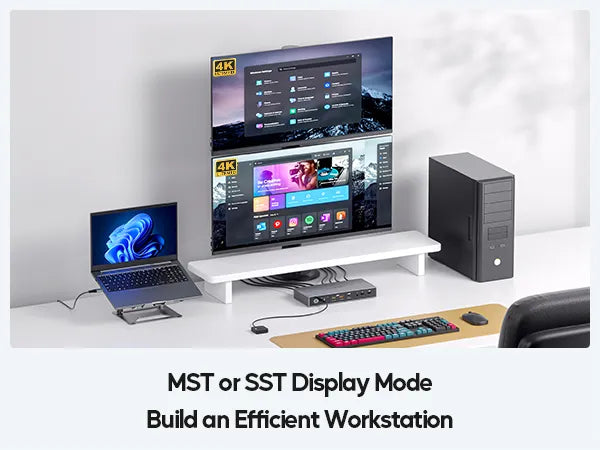
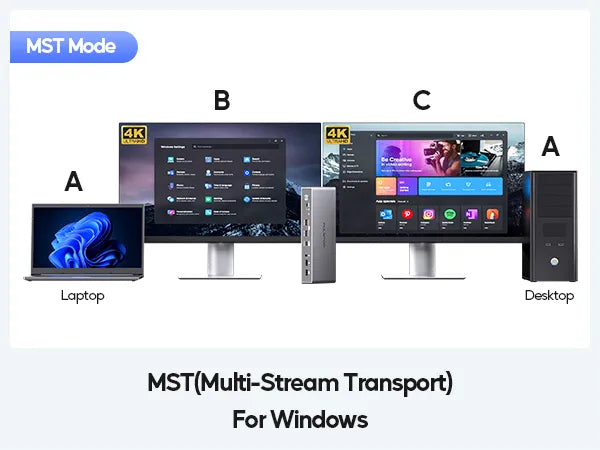
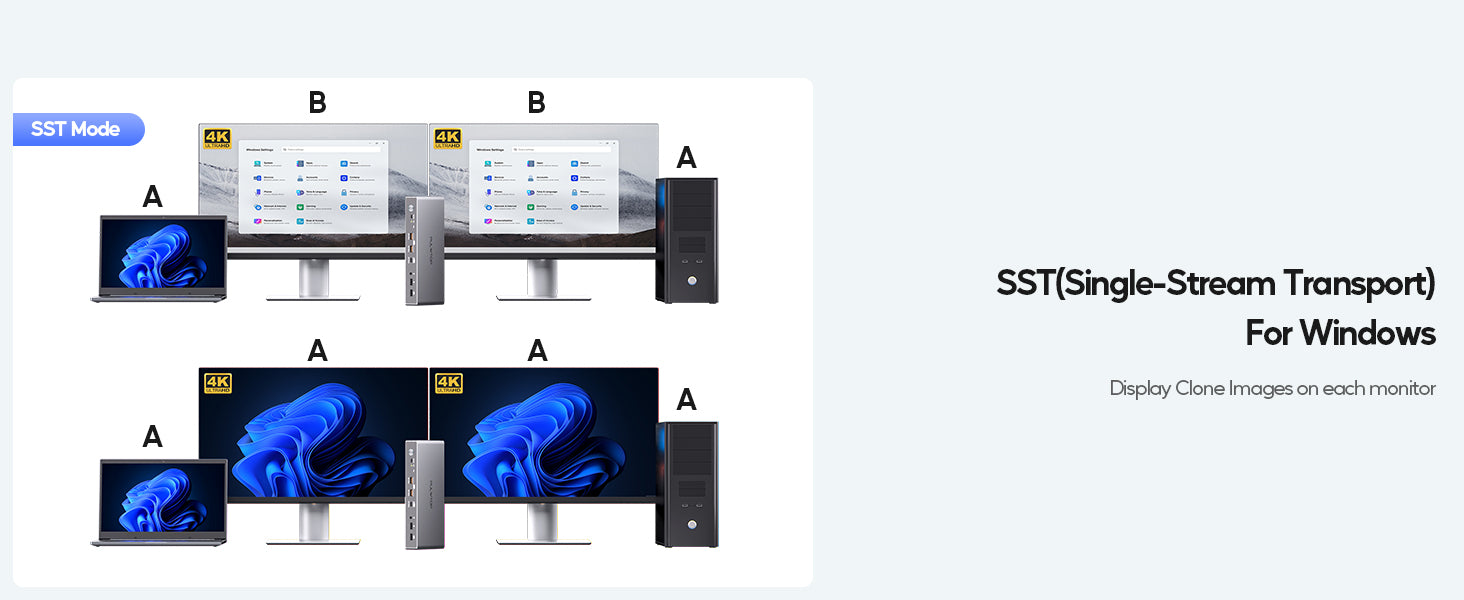
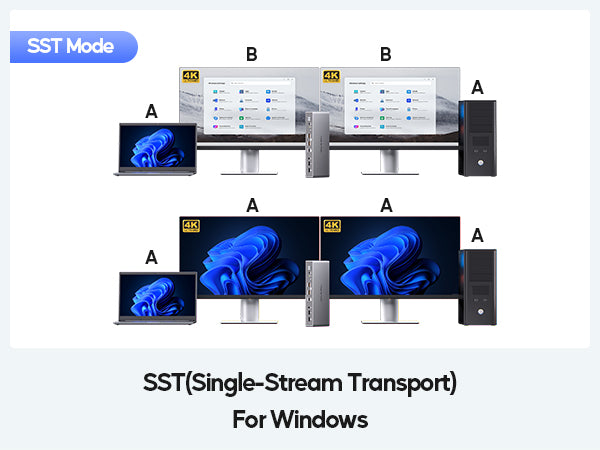
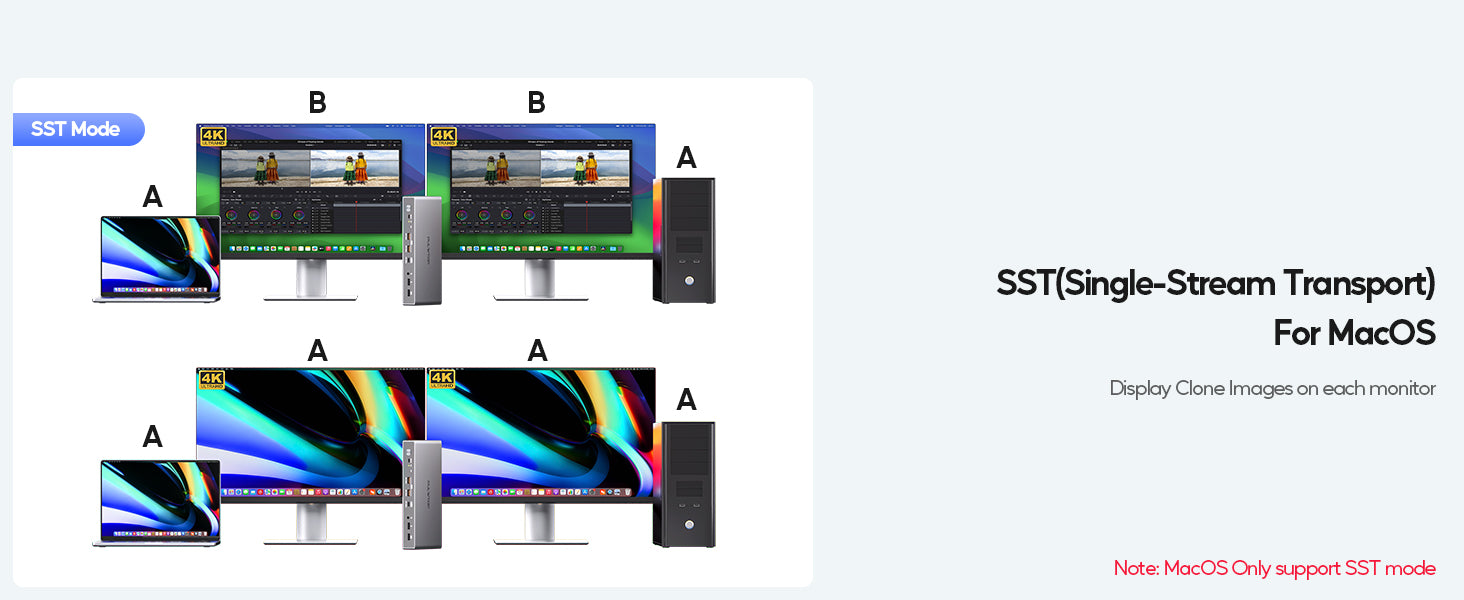
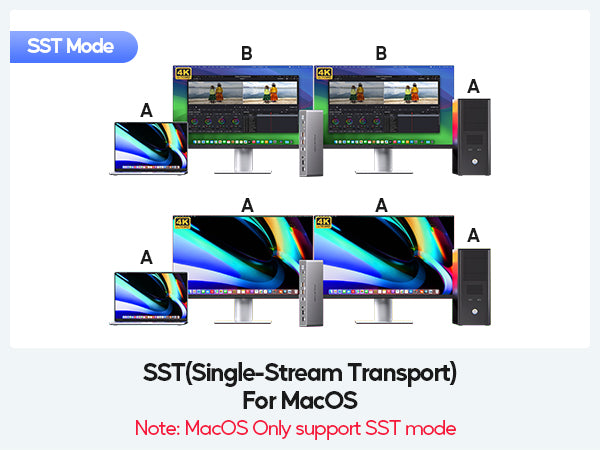
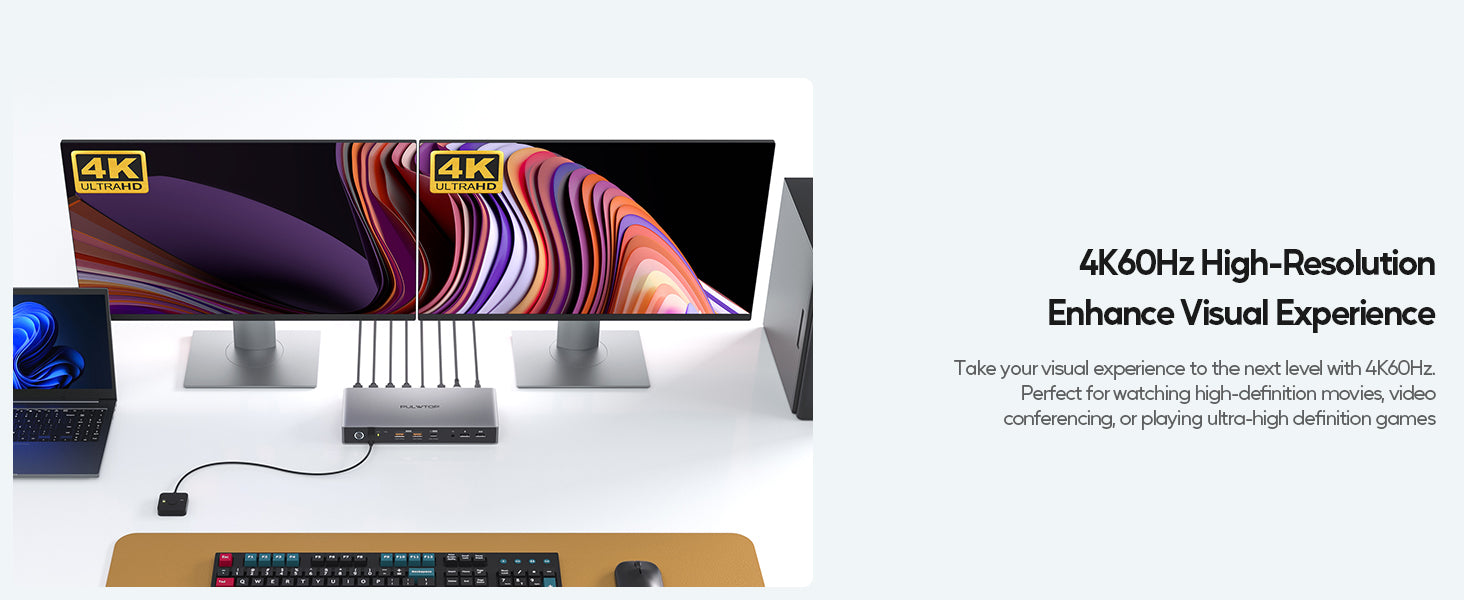
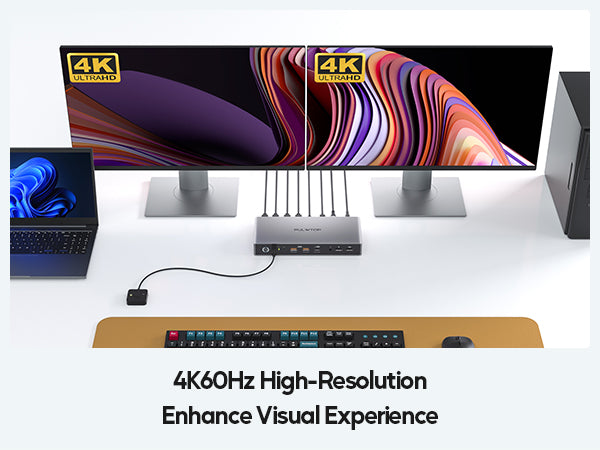
- KVM SWITCH DUAL MONITOR WITH 4K HIGH RESOLUTION - The Dual HDMI KVM switches support up to dual 4K@60Hz (MST) on windows DisplayPort 1.4 Port and up to 1080P@60Hz(MST) on Windows DisplayPort 1.2 Ports. ★NOTE:1) The actual resolution and refresh rate depends on the graphics card performance of your host device; 2) MacOS ONLY supports Single-Stream Transport (SST) mode (mirroring mode: AAA or ABB); 3) Thought the KVM switch supports up to 4K@60Hz (3840×2160) resolution, BUT if your monitor is 2K, there is ONLY 1080P resolution can be selected on this KVM dock
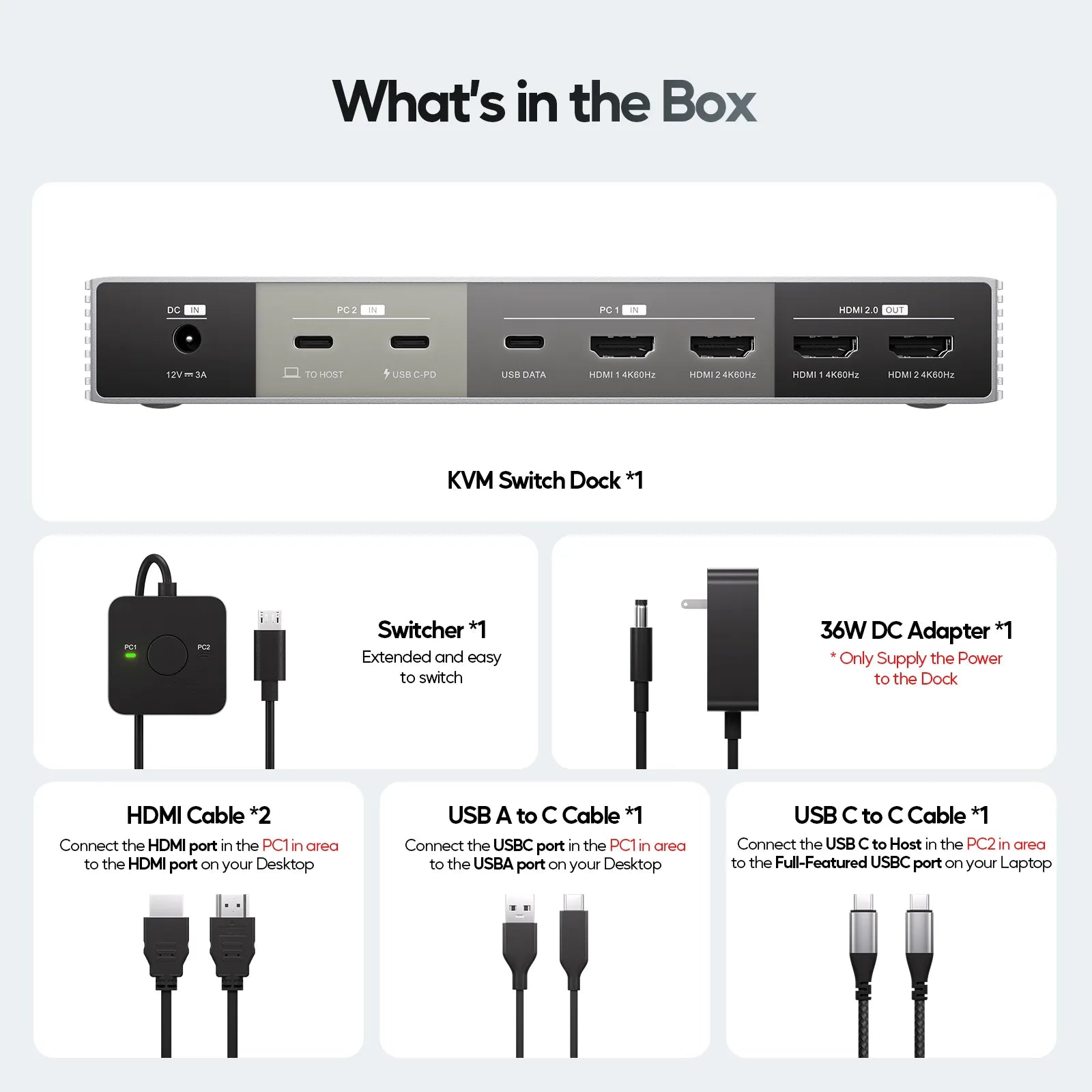
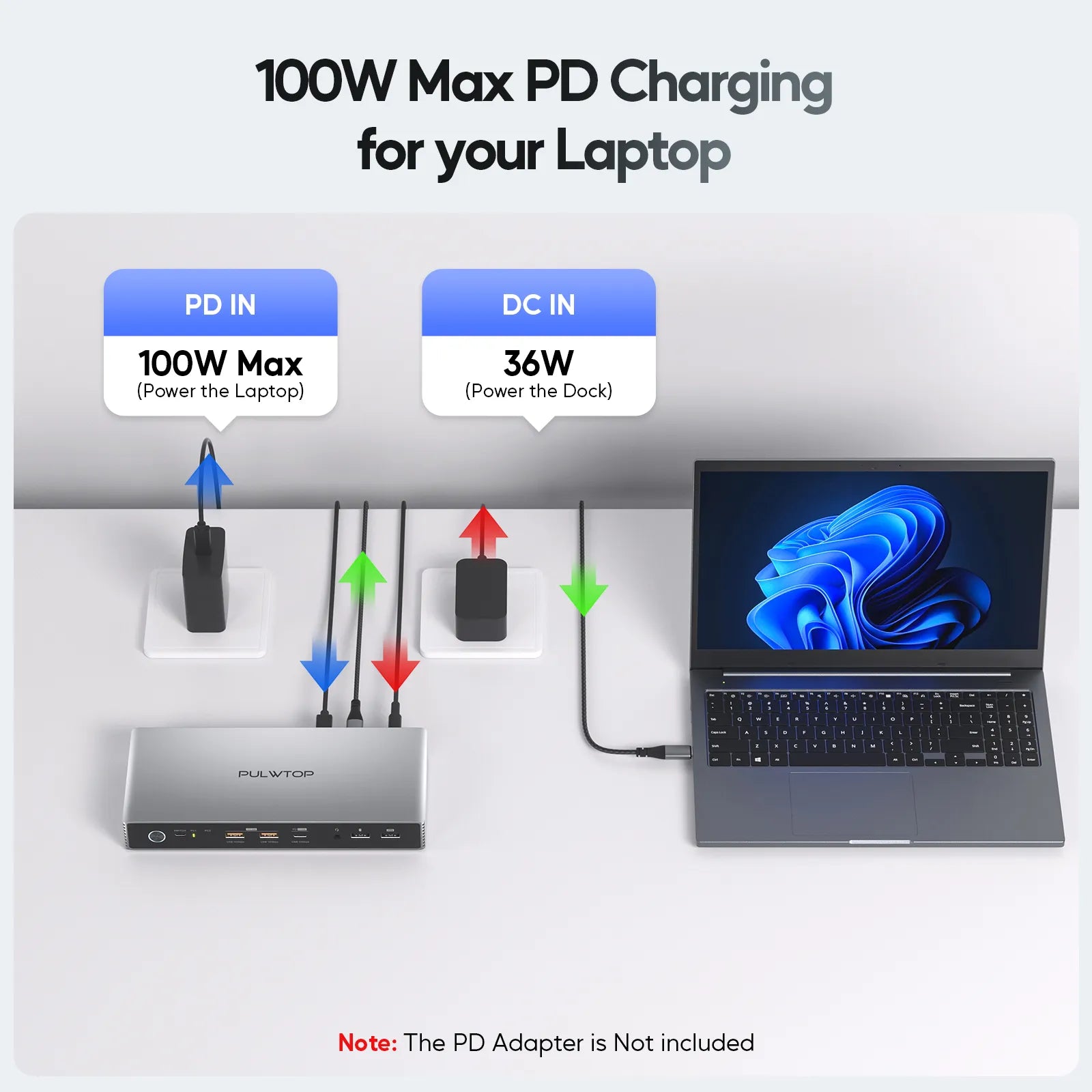
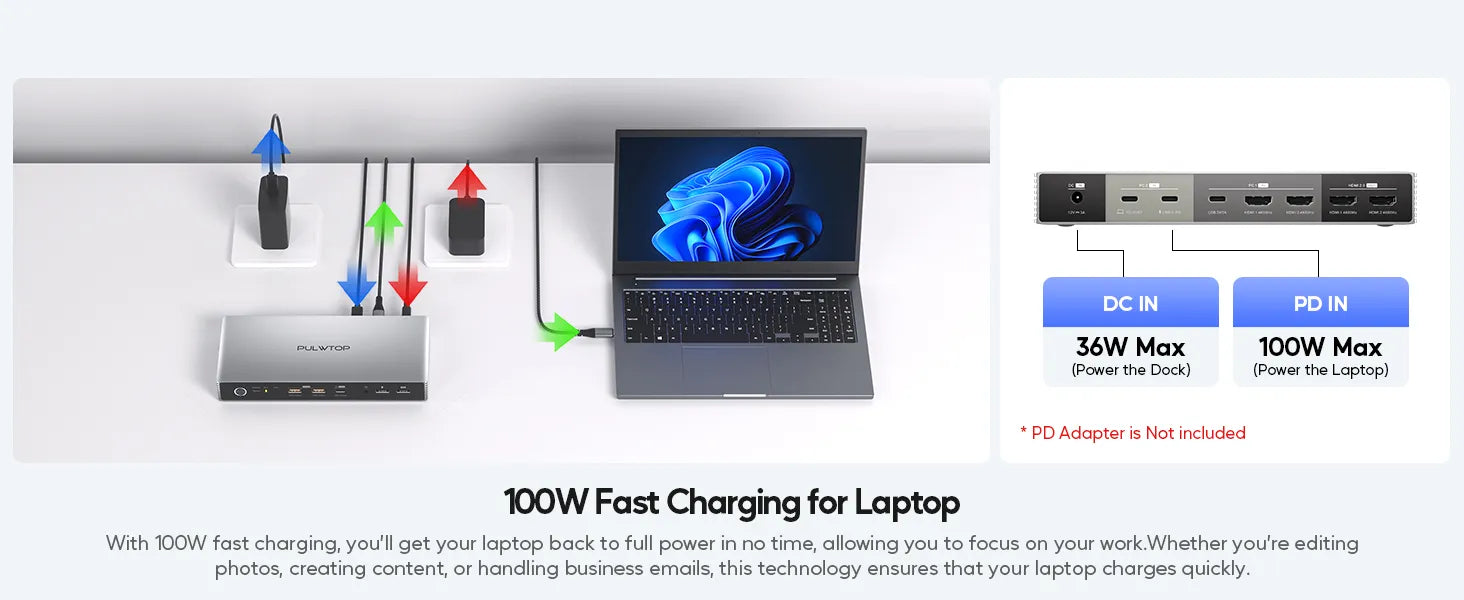
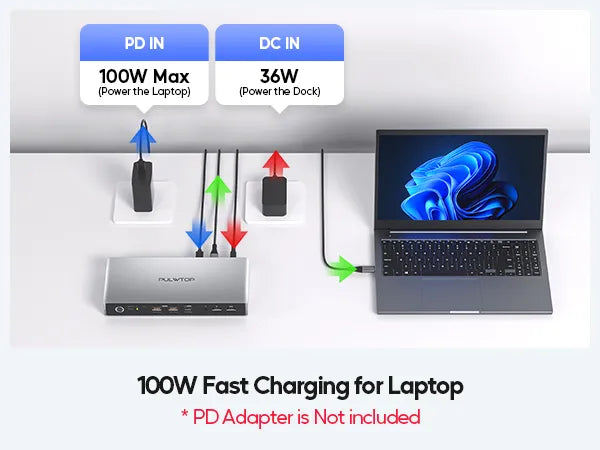
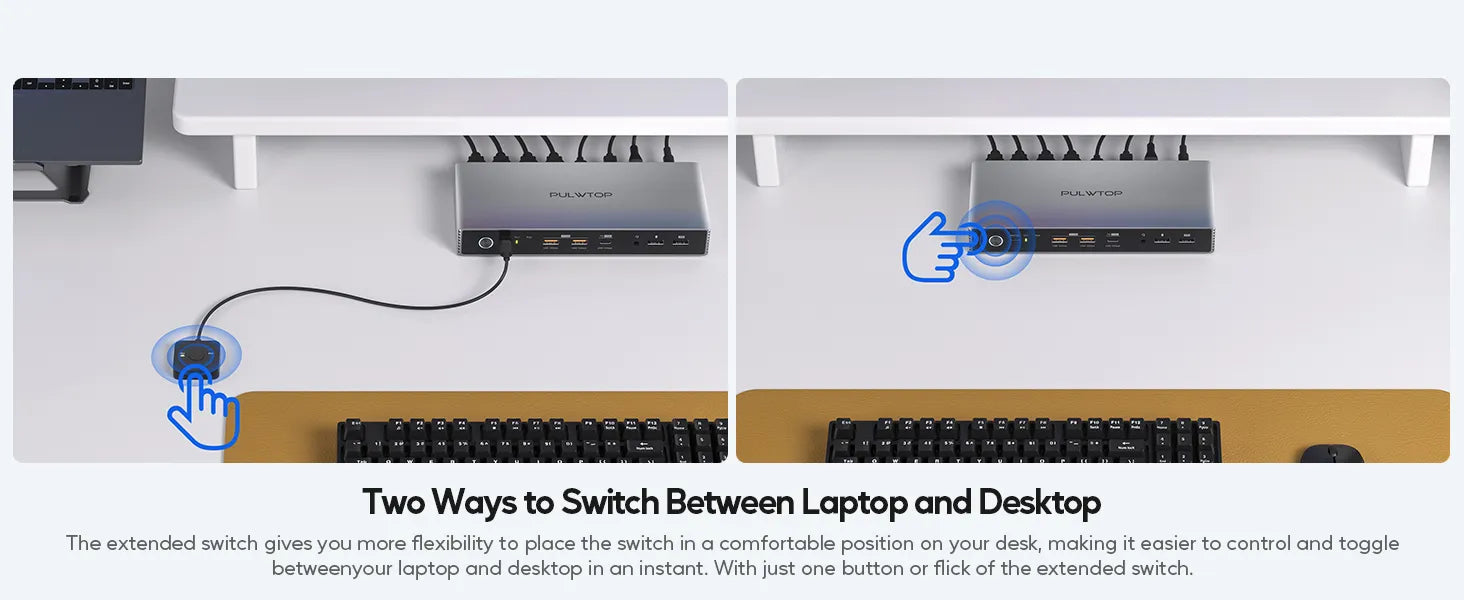
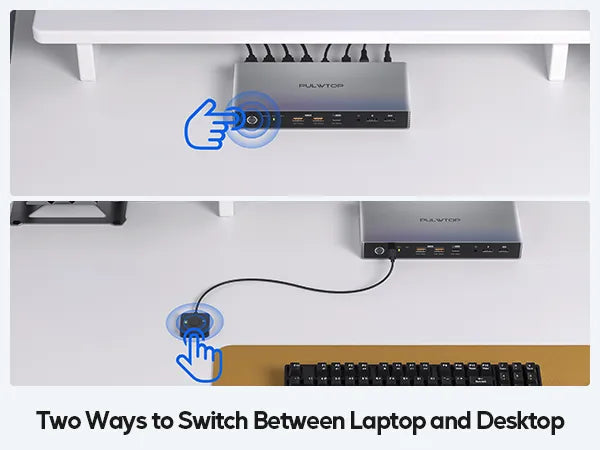
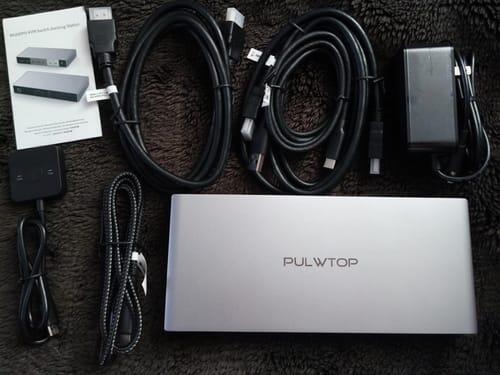
- EASY TO USE & TWO SWITCH METHODS - The USB C KVM switch comes with all accessories for beginners simplifying setup, easy to install, no driver required, just plug and play. Including 1 x 36W power adapter (to power the KVM switch dock), 1 x USB-C to USB-C cable (for laptop), 1 x USB C to USB-A cable (for desktop), 2 x HDMI to HDMI cables, 1 x USB switcher, 1 x user guide. Press the control button on the dock or click the USB switcher to easily switch between your devices. ★NOTE: The included 36W power adapter ONLY supply the power to the USB C switch dock. If you need to charge your laptop, please connect your laptop's original adapter to the USB-C PD port of the dock.
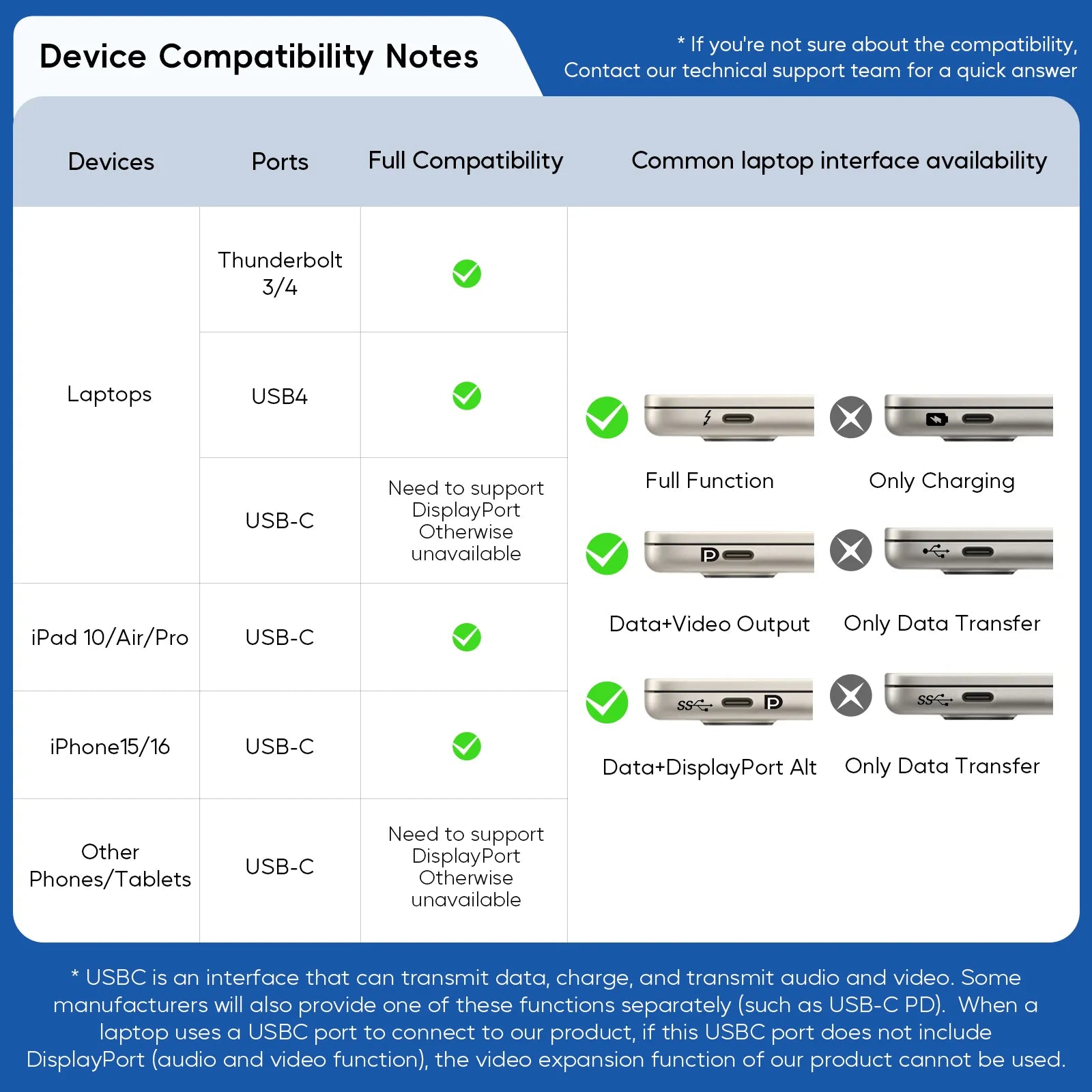
- WIDE COMPATIBILITY - The HDMI KVM switch is compatible with Windows, Linux, and Chrome OS, and supports most Thunderbolt 4/3 and full-featured USB-C laptops (NOT compatible with MacBook for 2 different monitors). The USB A/C 3.2 ports with data transfer up to 10Gbps, supporting hard drives, U disks, printers, cameras and fast charging for smartphoes/tablets up to 15W, while the USB A 2.0 can be connected with devices such as scanners, webcams, wired or wireless keyboards, mice, etc
%20input%20port%20for%20laptop,%20and%202%20x%20HDMI%20+%20USB-C%20data%20input%20port%20for%20de...
)




This product is rated 5.0 of 5.0 stars.
It has received 6 reviews.
Die Lieferung war unbeschadet und Amazon ��blich schnell.
Der KVM Switch ist ein echtes Meisterwerk f��r mein Homeoffice und Gaming-Setup! Mit diesem Ger?t kann ich nahtlos zwischen meinem Laptop und Desktop wechseln und beide auf zwei Monitoren in 4K@60Hz nutzen �C die Bildqualit?t ist einfach beeindruckend. Die EDID-Funktion sorgt daf��r, dass der Wechsel in nur 3-5 Sekunden ohne Ruckeln oder Neuanordnung der Icons passiert, was meinen Workflow unglaublich fl��ssig macht.
Die Dockingstation-Funktion ist ein riesiger Pluspunkt: Mit USB-C 3.2 und USB-A 3.2 habe ich blitzschnelle Daten��bertragung f��r Festplatten und Kameras, w?hrend die 15W PD-Aufladung mein Smartphone schnell l?dt. Die zwei USB 2.0-Anschl��sse sind perfekt f��r Tastatur und Maus, und der 3,5-mm-Audioanschluss liefert klaren Sound. Die zwei HDMI-Ausg?nge machen das Dual-Monitor-Setup zum Kinderspiel.
I take my laptop to and from work everyday. The plugging in and unplugging of the cables was a nightmare. bI have numerous docking stations for my laptop, but not one I could use to switch between my laptop and desktop. Those other stations all have the same issue with my laptop. They would support multiple monitors but all would give me the same message saying that my laptop was charging slowly and to replace the charger. My only recourse was to plug the charger straight into my laptop. Now I get no charging errors with this docking station and my laptop charges quickly, actually just as fast as if it were plugged into directly to my power supply. But best of all now I can easily switch between laptop and desktop without skipping a beat. Another big plus . . . anytime I would connect my phone via USB to my laptop or desktop to transfer files, I would get an error message "slow charging please check to make sure cable is attached properly". I always considered it a nuisance message. Using the docking station's usb (PD + 15 W), I no longer get this message and my phone charges normally. Transfers go smoothly and my phone charges even with both systems powered down.
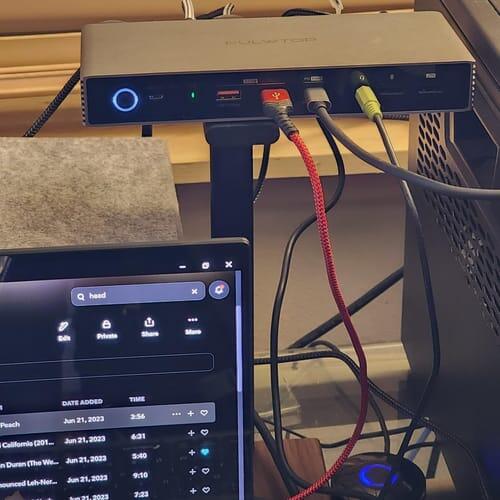
This switch docking station is an efficient tool for managing dual monitors and multiple systems, offering 4K resolution support with EDID functionality. Its dual HDMI outputs ensure clear and consistent video performance, while the compact design minimizes workspace clutter. One of its standout features is the USB A/C 3.2 ports with 10Gbps transfer speed, which allow for fast data handling, making it a great fit for professionals with data-intensive tasks. However, its 15W charging port is limited to smaller devices, which may not meet the needs of users looking to power larger hardware like laptops.
This docking station excels at peripheral sharing, enabling seamless transitions between systems for keyboards, mice, and audio devices. The 4K EDID support ensures smooth switching between systems without requiring constant adjustments to display settings, a major convenience for multitaskers. On the downside, optimal performance requires compatible hardware and cables, and users may experience slight delays during switching if peripherals are not properly configured. Overall, this KVM docking station is a practical choice for professionals who need streamlined control over dual monitors and multiple systems. Its high-speed USB ports, 4K video support, and user-friendly design enhance productivity, though the limited charging capability and hardware requirements may be drawbacks for some. For those with compatible devices and a focus on efficient multitasking, it delivers strong performance and reliable functionality.
This docking station excels at peripheral sharing, enabling seamless transitions between systems for keyboards, mice, and audio devices. The 4K EDID support ensures smooth switching between systems without requiring constant adjustments to display settings, a major convenience for multitaskers. On the downside, optimal performance requires compatible hardware and cables, and users may experience slight delays during switching if peripherals are not properly configured. Overall, this KVM docking station is a practical choice for professionals who need streamlined control over dual monitors and multiple systems. Its high-speed USB ports, 4K video support, and user-friendly design enhance productivity, though the limited charging capability and hardware requirements may be drawbacks for some. For those with compatible devices and a focus on efficient multitasking, it delivers strong performance and reliable functionality.
This thing is built like a tank. It's got a great chassis, nice weight, and a lot of input/output options. Works well for switching between my docking work laptop and my PC tower. Being able to mix video inputs and PD while combining USB interfaces is really solid so switching between video and peripheral input sources is easy.
This KVM switch and docking station is an excellent choice for anyone looking to streamline their workspace. Effortless switching between devices is simple; just press a button, and it toggles seamlessly with no lag or hassle. The dual monitor support works great, delivering 4K@60Hz on supported devices, making multitasking much smoother. What really makes this stand out is the abundance of ports, including USB-C, HDMI, USB-A, and even an audio jack, effectively transforming it into a full-featured docking station rather than just a simple switch. Set up was incredibly easy, and the build quality is solid! So far, it has exceeded my expectations.
Overall, this KVM switch is a fantastic value. It��s solidly built, easy to install, and packed with features that simplify multitasking and workspace organization. Whether for work or personal use, this is an great deal for the price. Highly recommend!