
Surface Pro users know the struggle. The device itself is incredibly portable, but the lack of ports often becomes a headache. Need to connect an external monitor, plug into wired internet, and charge multiple devices at once? A quality docking station is the answer.
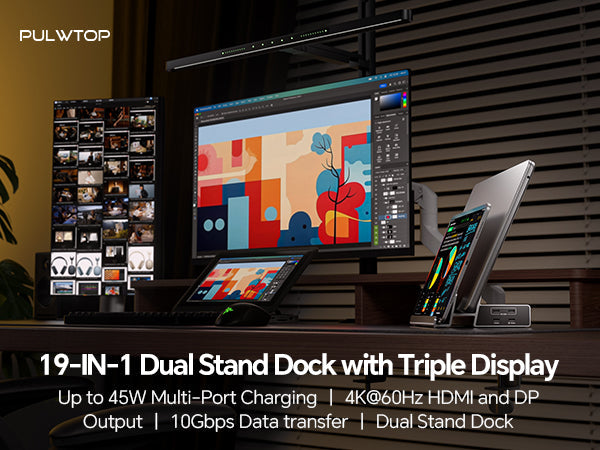
PULWTOP introduces an 11-in-1 docking station designed specifically for Windows laptops and Microsoft Surface Pro. It not only enables dual-display expansion but also features a detachable stand that instantly transforms your Surface into a desktop workstation.
🎯 Who Is This For? The Perfect Companion for Windows and Surface Pro
This docking station is built for the Windows ecosystem, with special attention to Microsoft Surface Pro 11/10/9/8 users. Through a single USB-C cable, it provides comprehensive expansion for your device.
Compatible Devices:
-
Microsoft Surface Pro: Models 11, 10, 9, and 8 (dual monitor support)
-
Windows Laptops: Devices with Thunderbolt 3/4 or full-featured USB-C ports (supporting data transfer, video output, and PD charging)
-
ChromeOS Laptops: Also compatible
Important Note: Due to macOS limitations, this dock only supports single-display extension on Mac OS and iPad OS (SST mode). Dual displays are not supported on Apple devices. This is a clear heads-up for Mac users.
✨ Key Feature 1: Dual 4K Display Expansion
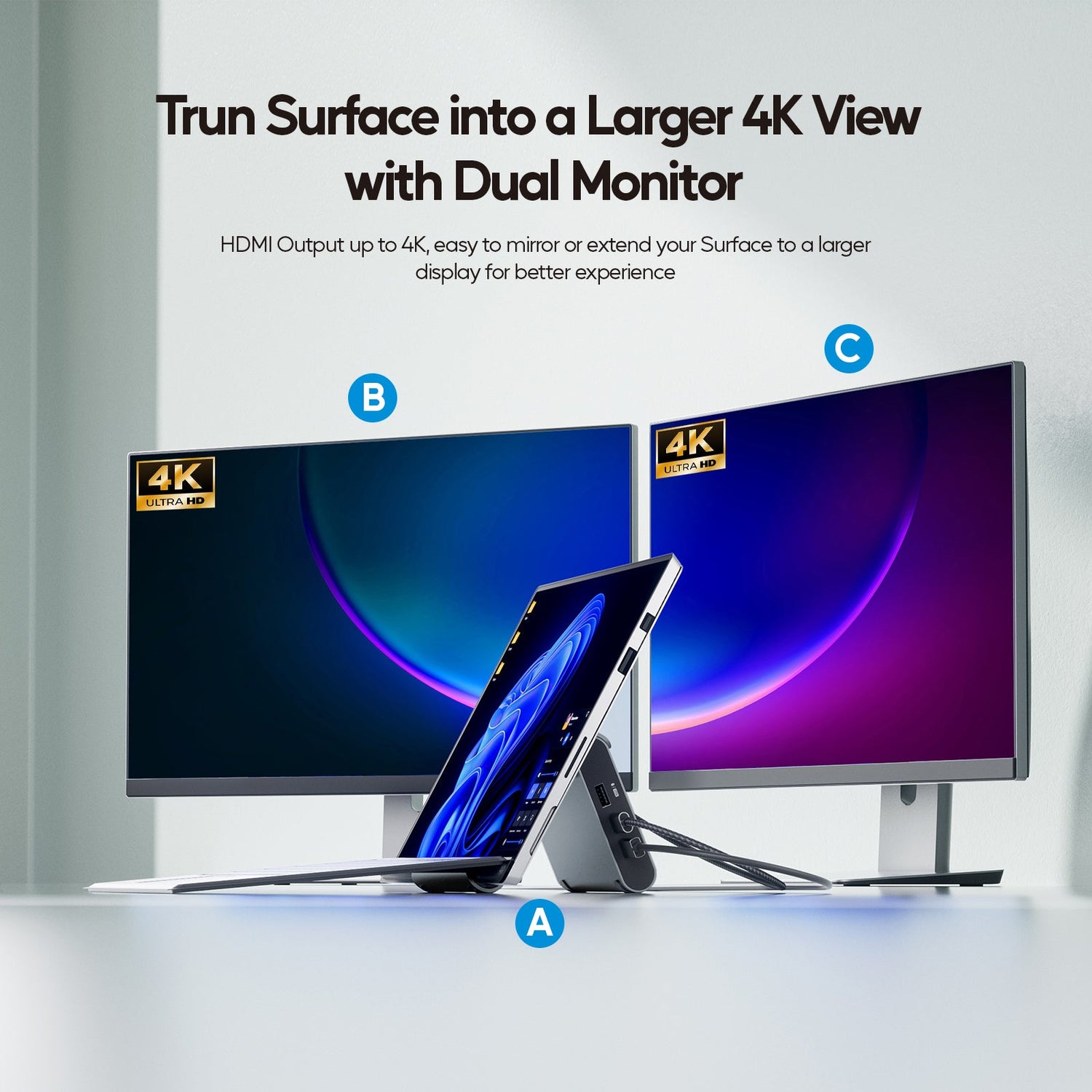
The dock features two HDMI ports, allowing you to connect two external monitors and dramatically boost your productivity.
-
Display Specifications: Supports one 4K@60Hz output or two 4K@30Hz simultaneous outputs
-
Mirror or Extend: Whether you need to mirror your screen to a projector or extend your desktop across two monitors, the dock handles it effortlessly
-
Use Cases: Video editing, stock trading, software development, office meetings, and gaming
Surface Pro Users Please Note: Surface Pro 7, 7+, and X models only support single-display extension. Dual monitors are not available on these models.
✨ Key Feature 2: 11-in-1 Comprehensive Port Configuration
The dock offers a rich selection of ports to meet all your peripheral connection needs:
Video Output
-
2 HDMI ports (supporting 4K@60Hz single or 4K@30Hz dual output)
High-Speed Data Transfer
-
2 USB-C 10Gbps ports (data transfer only—no video or charging support)
-
1 USB-A 10Gbps port
-
2 USB-A 5Gbps ports
-
1 USB-A 2.0 port (dedicated for keyboard and mouse with no lag)
Networking and Charging
-
1 Gigabit Ethernet port (RJ45) for stable, high-speed wired internet
-
1 USB-C PD port supporting up to 100W input and 85W safe output for fast laptop charging
Note: Power adapter and power cord are not included. Please use a PD charger of at least 65W.

✨ Key Feature 3: Detachable Stand Design
Another unique feature of this dock is its 2-in-1 stand design:
-
Detachable Stand: The stand can be separated and used independently as a holder for your laptop or tablet
-
Improve Desk Utilization: Keep your Surface Pro or laptop standing upright, freeing up valuable desk space
-
Create an Organized Workspace: Vertical device placement means a cleaner desk and higher productivity
Compatibility Note: Due to varying thicknesses of Windows laptops, devices thicker than 18mm may not support the closed-lid stand function. Please check your device's thickness before use.
✨ Key Feature 4: Gigabit Ethernet and PD Fast Charging
For scenarios that demand a stable network connection, wired internet remains the superior choice:
-
Gigabit Ethernet: Delivers a more stable, low-latency connection than Wi-Fi—ideal for online meetings, cloud workflows, and large game downloads
-
100W PD Fast Charging: Connect a PD charger to the PD port, and the dock delivers up to 85W safe output to keep your laptop powered through intensive workloads
⚠️ Important Notes Before Buying
Please review the following before making your purchase:
Power Requirements: The dock does not include a power adapter or power cord. You will need a PD charger of at least 65W to ensure all functions operate stably.
Mac User Alert: On Mac OS and iPad OS, this dock only supports a single external display. Dual displays are not supported. If you are a Mac user, please consider this carefully.
Surface Pro 7/7+/X User Alert: These Surface Pro models only support single-display extension. Dual monitor functionality is not available.
Stand Function Compatibility: Due to varying laptop thicknesses, devices thicker than 18mm cannot use the closed-lid stand function.
Host Port Requirement: Your laptop must have a Thunderbolt 3/4 or full-featured USB-C port that supports data transfer, video output, and PD charging simultaneously.
🏁 Final Verdict: Who Should Buy This Docking Station?
Strongly recommended for:
-
Microsoft Surface Pro 8, 9, 10, or 11 users who want dual-display expansion and a desktop-like setup
-
Windows laptop users who need to connect two external monitors for multitasking
-
Mobile professionals who switch between office and home and want a single-cable solution for all connections
-
Gamers or cloud workers who require the stability of a wired internet connection
May not be suitable for:
-
MacBook or iPad users (only single-display support)
-
Surface Pro 7, 7+, or X users (only single-display support)
-
Users with laptops thicker than 18mm (stand function not compatible)
-
Users who do not already own a 65W+ PD charger (must be purchased separately)



Leave a comment
This site is protected by hCaptcha and the hCaptcha Privacy Policy and Terms of Service apply.